How long does it take to learn graphic design? It depends on the goal: basic skills in weeks, employable beginner-level skills in a few months, true mastery over years. There’s no single honest number that covers all three, and anyone promising you a polished, hireable skill set in two weeks is selling something, not teaching you. A lot of beginners get discouraged early because they compare themselves to someone else’s highlight reel online without knowing how many months of unseen practice actually sit behind it. This guide breaks the timeline down stage by stage, covers what actually speeds up or slows down learning, and explains when you’re realistically ready to freelance or apply for junior roles.
Quick Answer, How Long Does It Actually Take to Learn Graphic Design?
Basic design principles and tool comfort typically take a few weeks, a genuinely employable beginner portfolio takes around 3 to 6 months of consistent practice, and real mastery develops over years of ongoing work.
These stages matter because they answer different questions. “How long to understand color theory and open Photoshop without panicking” is a few weeks. “How long until I could reasonably apply for a junior design job or take on a small freelance project” is closer to 3 to 6 months, assuming real, consistent practice. “How long until I’m genuinely excellent” is an ongoing process that honestly never fully stops for working designers. This varies a lot based on how much time you actually put in daily and whether you already have some visual or art background going in.
It helps to pick which of these three questions you’re actually asking before comparing your own progress to anyone else’s. Someone posting impressive work after “6 months” of learning might be counting from a very different starting point, or putting in far more daily hours, than the number alone suggests.
What Affects How Fast You Learn Graphic Design?
Practice consistency, prior visual or art exposure, quality of feedback and instruction, and which tools you’re learning all affect the timeline more than raw talent does.
Someone practicing daily, with real feedback on their work, progresses noticeably faster than someone watching design tutorials passively once a week without ever opening the software themselves. Prior exposure to art, photography, or even just an eye for what looks visually balanced gives some people a head start, but it’s not a requirement, it just shifts the starting point slightly. Feedback matters more than people expect too, since it’s genuinely hard to spot your own weak spots without someone more experienced pointing them out clearly.
Tool choice plays a smaller but real role too. Starting with a simpler, more forgiving tool like Canva before jumping into Photoshop’s steeper learning curve can actually build early confidence, which keeps people practicing consistently instead of giving up in the first frustrating week.
Week by Week, The First Month of Learning Graphic Design
The first month should focus on fundamentals, color theory, typography, and layout basics, alongside first exposure to a beginner-friendly tool like Canva.
A reasonable shape for this month looks like spending the first two weeks purely on fundamentals, how color combinations work, how typography choices affect readability and mood, how layout and spacing guide the eye. This sounds slow, but rushing past it usually shows up later as shaky, inconsistent design decisions. Weeks three and four shift into first real hands-on tool practice, starting with something approachable like Canva before moving into more advanced software. The goal for month one isn’t impressive output, it’s building a real, working understanding of why good design looks the way it does.
Month 2 to 3, Learning Core Tools, Photoshop and Illustrator
Months two and three are usually spent building real comfort with Adobe Photoshop and Adobe Illustrator, the two tools most professional design work still runs on.
This is also where understanding the difference between Raster Graphics and Vector Graphics starts to matter. Photoshop works with raster images, pixel-based, great for photo editing and detailed textures, but they lose quality when scaled up too far. Illustrator works with vector graphics, built from mathematical paths, which is why logos and icons are almost always created in Illustrator, they can scale to any size without losing sharpness. You can explore the full Adobe Creative Cloud suite directly, since most professional design tools live inside it. Knowing which tool fits which job is just as important as knowing how to use either one.
Beginners sometimes try to learn both tools with equal intensity from day one, which can feel overwhelming. A more manageable approach is spending most of month two on Photoshop specifically, then shifting focus toward Illustrator in month three, once the first tool feels genuinely comfortable rather than just familiar.
Month 3 to 6, Specializing and Building a Portfolio
Months three through six are where a beginner usually picks a direction, brand identity, social media design, or another focus, and turns practice into a real, presentable portfolio.
Trying to be equally strong at everything at once tends to slow people down here. Picking a lane, even loosely, lets you go deeper and produce stronger, more consistent work than spreading effort evenly across five different design directions. Once you have a handful of solid pieces, platforms like Behance and Dribbble become genuinely useful, both for showcasing finished work and for seeing what strong, professional-level design actually looks like in your chosen focus area.
When Are You “Job Ready” as a Beginner Graphic Designer?
Job readiness depends more on portfolio quality than time spent learning, someone with 3 strong, varied projects can be more hireable than someone who studied for a year with nothing finished to show.
This is worth repeating clearly, since it contradicts how a lot of people think about learning. Employers and clients don’t ask how many months you’ve been studying, they look at what you’ve actually built. That said, it’s worth being honest about the difference between “employable junior level” and “true mastery.” Junior-level readiness means you can competently execute real design tasks with some guidance. Mastery means confidently making strong creative decisions independently, handling ambiguous briefs, and mentoring others, and that genuinely takes years of real, varied project experience to develop.
This distinction matters for setting realistic expectations too. It’s completely normal, and honestly common, to land a first junior role or freelance client while still feeling like a beginner in many ways. That feeling doesn’t mean you’re not ready, it usually just means you’re right on schedule.
Does Learning Additional Tools Slow You Down?
Learning too many tools too early, Figma, Adobe InDesign, CorelDRAW, Motion Graphics, can genuinely slow beginners down rather than help them.
It’s tempting to try to learn everything at once, since job listings sometimes mention five or six different tools. But spreading your limited practice time across too many tools early on usually means you end up mediocre at all of them instead of genuinely strong at one or two. The better approach is focusing on Photoshop and Illustrator first, since they cover the bulk of core design work, then adding tools like Figma or InDesign later, once a real project or job requirement actually calls for them.
How Daily Practice Time Changes the Timeline
Someone practicing an hour a day will naturally take longer to reach the same point as someone practicing three to four hours a day, and that’s the biggest single factor in how “long” learning actually takes.
This sounds obvious once stated plainly, but it’s worth saying anyway, since a lot of people compare their own progress against someone else’s timeline without accounting for how much time that other person actually invested daily. There’s no fabricated precise formula here, more consistent time genuinely means faster progress, and inconsistent, occasional practice genuinely means a much longer road, even if the total hours eventually add up to something similar.
Quality of practice matters alongside quantity too. An hour spent deliberately working through a real project, then reviewing what worked and what didn’t, tends to build skill faster than three hours spent passively following along with a tutorial without ever making independent decisions.
Realistic Timeline for Freelancing as a Graphic Designer
Most beginners can realistically start freelancing once they have a small, focused portfolio ready, often around the 3 to 6 month mark for someone practicing consistently.
It’s worth keeping expectations honest here too. Early freelance work often pays less while you’re still building reviews and a track record, which is a pattern that holds true across almost every freelance skill, not just design. The goal in these early months isn’t maximizing income right away, it’s building real, finished projects and client experience that make the next opportunity easier to land.
Some beginners choose to start freelancing a bit earlier than the 3 to 6 month mark, taking on very small, low-pressure projects, like a simple logo for a friend’s small business, purely for the real-world experience. This isn’t about the money at that stage, it’s about getting comfortable with client communication and feedback before higher-stakes projects come along.
How to Learn Graphic Design Faster in Faisalabad
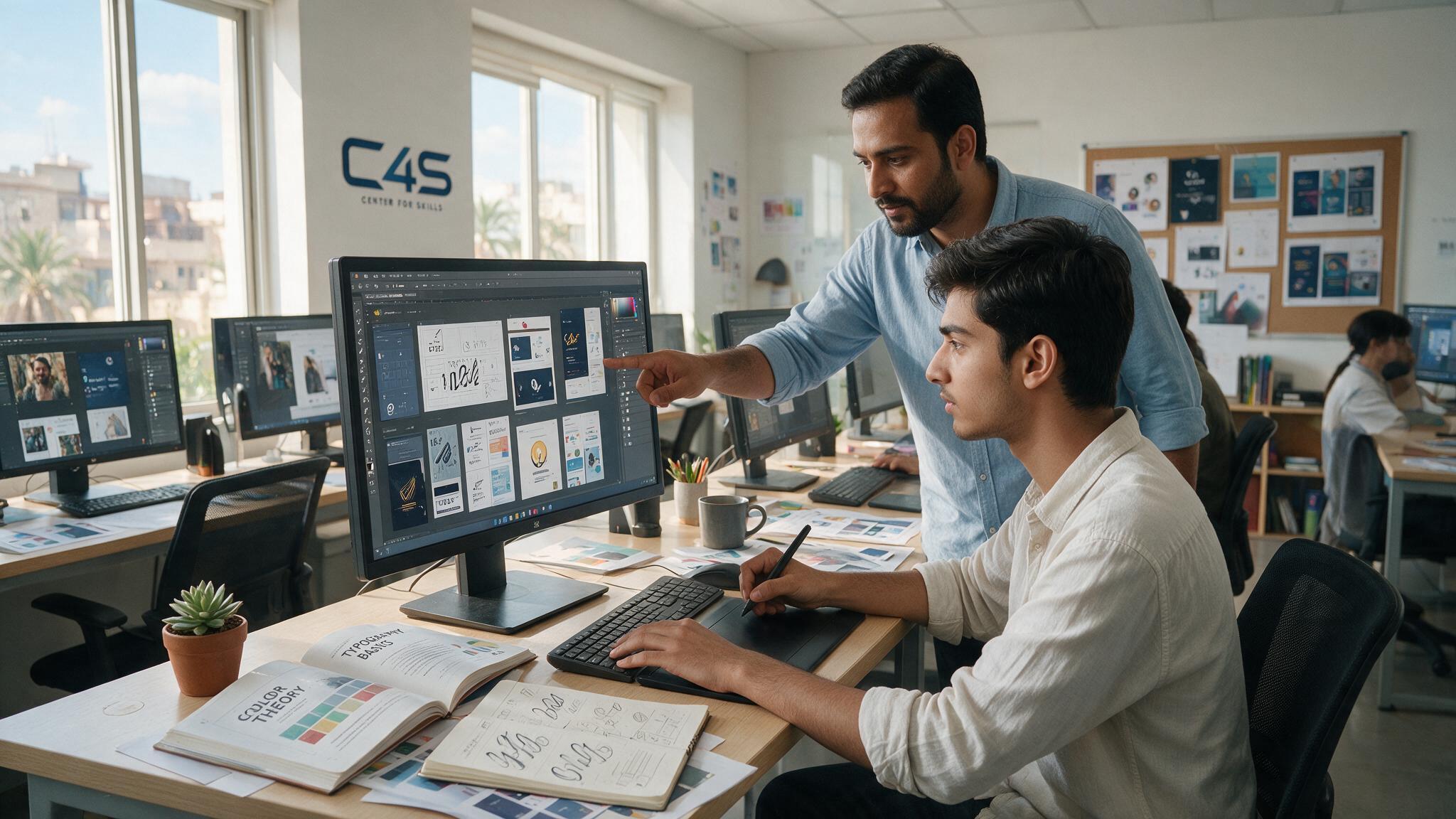
Structured, hands-on training compresses the learning timeline significantly compared to self-teaching, mainly through real feedback and a clear order of topics instead of scattered, disconnected tutorials that leave gaps in fundamentals.
Faisalabad’s growing digital economy, which the Ministry of Information Technology and Telecommunication has been actively supporting, means local demand for practical design skills keeps growing too. If you want structured, project-based training instead of piecing things together alone, C4S offers a hands-on graphic design and video editing course built around exactly this kind of guided progression. You can check the class schedule to plan your start date, or reach out directly if you have questions before enrolling.
Frequently Asked Questions
Can I learn graphic design in one month?
You can learn the fundamentals and basic tool comfort in one month, but a genuinely employable skill set with a real portfolio typically takes closer to 3 to 6 months of consistent practice.
How long does it take to learn graphic design well enough to freelance?
Most beginners can realistically start freelancing around the 3 to 6 month mark, once they have a small, focused portfolio of 2 to 3 strong, finished projects to show potential clients.
Do I need to know how to draw to learn graphic design?
No, drawing skill is not required for most graphic design work, especially digital design like branding and social media content, though it can help with certain illustration-heavy specialties.
Which tool should a beginner learn first, Photoshop or Illustrator?
Most beginners start with Photoshop for photo editing and general design work, then add Illustrator once they need vector-based work like logos or icons that require infinite scalability.
Does taking a structured course make you learn graphic design faster?
Yes, structured training with real feedback and a clear learning order typically speeds up progress significantly compared to self-teaching through scattered, disconnected online tutorials.
How long does it take to master graphic design completely?
True mastery is an ongoing process that develops over years of real, varied project experience, since it involves independent creative judgment that takes much longer to build than basic technical skill.
Final Thoughts
How long it takes to learn graphic design comes down to three honest stages: weeks for the fundamentals, months for employable, portfolio-ready skills, and years for genuine mastery. Consistency matters more than any fixed number, and a strong, finished portfolio will always carry more weight than time spent studying alone. If you find yourself somewhere in the middle of this timeline and unsure whether you’re progressing fast enough, remember that comparing your daily practice honestly against your own past work is a far more useful measure than comparing yourself to strangers online. If you’re ready to start learning graphic design properly, reach out to Center 4 Skills (C4S) and take the first step.